


The 4K Gaming Laptops are like gems. Their output is so gorgeous and feels premium for the features. Especially for gaming and then editing videos and photos are the perfect reason why you should buy a 4K laptop. Otherwise, it will be overkill if you buy it when you are only doing office work or normal daily necessaries. We don’t need an extravagant display to just type some things, right? The price budget will then unnecessarily rise to the top.
Anyway, enough of the empty talks. You already what this article is about. We hope that it will cover up all the necessary information on each 4K gaming laptops for your convenience.
Dell XPS 15

- Fast and reliable performance
- Solid build quality
- Gorgeous 4K
- Long battery life
Razer Blade 15
- Fast and reliable performance
- Solid build quality
- Gorgeous 4K
- Long battery life
Best 4K Gaming Laptops
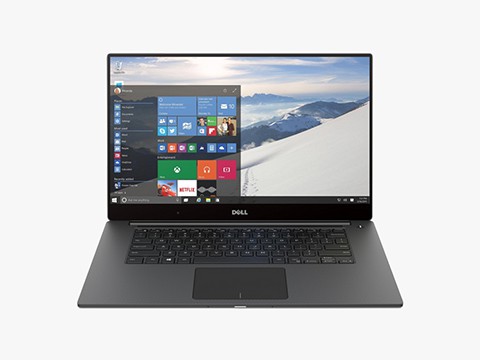
Dell XPS 15
The Dell XPS 15 is supposedly the best 4K Gaming Laptop with one of the gorgeous and smoothest 4K displays available. The hardware of this one is also powerful enough to serve the 4K display. It is a well-designed and solid-built laptop. The visual of XPS 15 is also worth mentioning. Our team just could not get enough of it while testing it. We had to control ourselves from wasting too much time on one laptop.
The display is gorgeous and we cannot stop ourselves from it saying it over and over again. It’s vibrant and brilliant with perfect RGB contrast and blending. Furthermore, the 100% Adobe RGB with VESA DisplayHDR 400 and 94% DCI-P3 color gamut are the powerful features that provide that awesome 4K display.
The processor and GPUs powerful performance makes the laptop work better. Gaming or working; the Dell XPS 15 is reasonably a great choice. The performances are quicker and more reliable. Also, its 4K display makes the gaming session more enjoyable and smooth.
The 720p web camera does its job well and is enough for video conferencing or so. The battery life is tremendous. What an awesome laptop Dell XPS 15 is with all these great features as well as long battery life!
| Laptop | Dell XPS 15 |
| Processor | Intel Core i7-10750H |
| Memory | 16GB DDR4 |
| Memory Speed | 2933 MHz |
| Storage | 512 GB |
| Graphics | NVIDIA GeForce GTX 1650 Ti |
Key features: The Dell XPS 15 comes with the Intel Core i7-10750H featuring a 5.0 GHz base frequency. It uses the NVIDIA GeForce GTX 1650 Ti as the GPU. It features 16GB DDR4 dual-channel memory with 2933 MHz memory speed and 512GB M.2 PCIe NVMe Solid State Drive.
- Fast and reliable performance
- Solid build quality
- Gorgeous 4K
- Long battery life
- Expensive
- Awkward webcam position
HP Spectre x360 15t
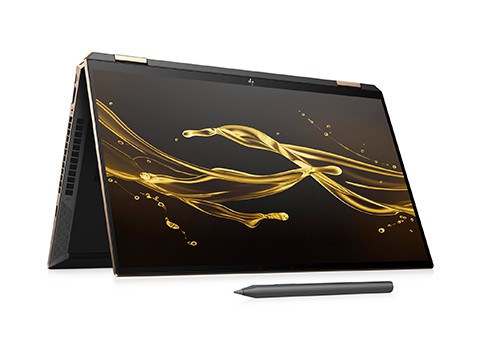
The HP Spectre x360 is a convertible 2-in-1 thin laptop that offers great service too. It looks so gorgeous and stunning that I just admired its beauty for whole 2 minutes, believe it or not. It is already in my cart and when I am available for a laptop, this is going straight to my house. This is thin and lightweight built with solid materials. Moreover, the design is sleek and it feels premium indeed.
It performs powerfully while the powerful intel processor and Nvidia GPU work great behind. The speed is impressively fast and powerful. Unlike other laptops, it is not configurable which comes with the OLED. As expected of its hardware, they work seamlessly and offer quality outputs.
It is nearly bezel-less and offers almost the full screen. This is why the display output looks even better. Its 4K resolution display output is brilliant with beautiful and vibrant color contrast. You can see the tiniest detail like yarn on a sweater. Also, the battery life is great.
During gaming, you will feel the power flow while admiring the crispy images that the 4K display will present.
This 2-in-1 laptop also comes with a stylus which saved you from buying an additional pen. Well, you may buy one if it is not on par with your taste. However, this HP pen is responsive and does its job well. Also, while talking about it, its keyboard comes with clicky and backlit keys. They are extremely comfortable and nice too.
| Laptop | HP Spectre x360 |
| Processor | Intel Core i7-10750H |
| Memory | 16 GB DDR4 |
| Memory Speed | 2666 Mhz |
| Storage | 1 TB |
| Graphics | NVIDIA GeForce GTX 1650 Ti |
Key Features: The HP Spectre x360 15t comes with the Intel Core i7-10750H with 2.6 GHz processing speed and NVIDIA GeForce GTX 1650 Ti that features the Max-Q design & 4GB GDDR6. It features 16 GB DDR4 memory featuring 2666 MHz memory frequency, 1 TB PCIe NVMe TLC M.2 SSD, and 2 Thunderbolt 3. Moreover, it has Wi-Fi and Bluetooth compatibility.
- Gorgeous visual
- 4K touch screen
- Additional Pen
- Quality keyboard
- Average Battery quality
- Not configurable
Dell XPS 17
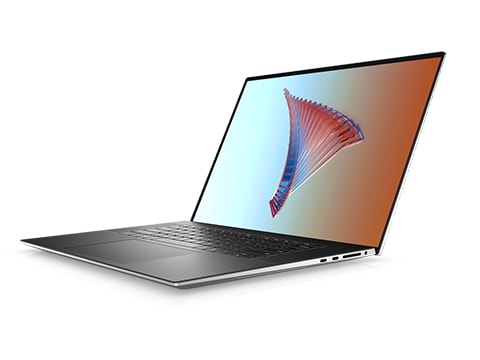
The Dell XPS 17 is expensive and attractive for a 4K laptop. It has solid features and a solid build. You can see it once you have it. The built materials are also pretty solid and of great quality. Its aluminum case and carbon fiber give off a premium finishing touch. The display is, of course, gorgeous and the touchscreen is also responsive. The sparkly screen of this one allows seeing the display from different angles.
Its graphics interfaces are beautiful, colors are beautiful and vivid that the Nvidia GeForce RTX 2060 GPU provides. Its battery life is more than running it the whole day. It comes with faster memory and storage that transfers and stores data in a moment.
If you are looking to buy a powerful laptop, famous for its beastly performance that also has a stunning 4K display, XPS 17 can be the last destination in your journey. It is pricey but definitely worth it if you love brilliant displays for gaming or do editing jobs.
Dell XPS 17 is one of the best windows laptops out there for its fast performance while remaining quiet and cool. Its battery life is pretty good and survives more than a couple of hours. Rather than being pricey, Dell XPS 17 is worth trying too.
| Laptop | Dell XPS 17 |
| Processor | Intel Core i5 11400H |
| Memory | 8GB DDR4 |
| Memory Speed | 3200 MHz |
| Storage | 512 GB |
| Graphics | Nvidia GeForce RTX 2060 |
Key Features: The Dell XPS 17 comes with the Intel Core i5 11400H featuring six cores with more than 4.50 GHz processing speed. It uses Nvidia GeForce RTX 2060 GPU as the graphics card. Moreover, it features 8GB DDR4 dual memory with 3200 MHz memory speed. XPS 17 has 512GB M.2 PCIe NVMe SSD and 4 x Thunderbolt 4 ports as well.
- Fast and powerful performance
- Runs cool
- Stunning display and visual
- Impressive battery life
- Pricey
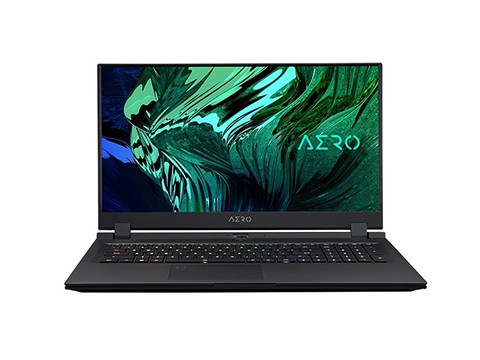
Gigabyte Aero 17 HDR
The Gigabyte Aero 17 HDR is a powerful laptop with an immersive 4K HDR visual display. It is quicker and more stable when handling. The laptop itself is impressive with stunning visuals. It is slim and comes with some important components to start with.
It has the Max-Q technology which comes for delivering the best high-performance in light and thin gaming laptops. As per Gigabyte’s advertisement and our test result, Aero 17 HDR really does serve this feature to the fullest. Every component inside-out is related to offering powerful performances. Enhancing performance features are a new thing we have seen till now.
For the price, this laptop is absolutely reasonable. It loads fast. The Nvidia GPU ensures quicker rendering and clear performance. It is built strong and has quite solid quality materials. Its keyboard looks elegant with a simple design and backlight. They look awesome in dark. Its keys are also good in materials and feel nice. Moreover, the monitor looks awesome and the output is commendable. The fingerprint scanner is far better than many high-end laptops.
Gigabyte has done a pretty good job in this one’s display. It is crisp with vibrant colors. The resolution density is brilliant with 100% RGB output. The 4K display of this laptop lives up to its name.
Furthermore, it runs really cool, though the fans may run a bit wild. Even when running under load or giving powerful outputs, this laptop runs cool.
| Laptop | Gigabyte Aero 17 HDR |
| Processor | Intel Core i7 11800H |
| Memory | 64 GB |
| Memory Speed | 3200 MHz |
| Storage | 512 GB |
| Graphics | NVIDIA GeForce RTX 3070 |
Key features: The Gigabyte Aero 17 HDR comes with the Intel Core i7 11800H with 2.3GHz processing speed, integrated Intel UHD graphics, and NVIDIA GeForce RTX 3070. The GPU features 8GB GDDR6 memory. This laptop features 64GB 2 x DDR4 memory slots featuring 3200 MHz memory speed and 2x M.2 SSD slots. Moreover, it has 3x USB 3.2 Gen1 Type-A ports, 1x Thunderbolt 4 port Type-C, Wi-Fi 802.11ac, and BlueTooth V5.2.
- Quick and solid performance
- Reasonable price
- Stunning Display
- Runs cool
- Great design and build
- Commendable keyboard
- Runs hot while gaming
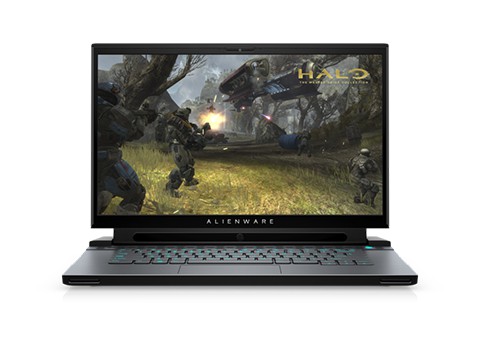
Alienware M17 R3
Alienware M17 R3 comes with a beautiful and elegant design that fulfills its look. It has an average weight with not being lightweight or heavy. It is perfect for gamers since it provides powerful and high-level performance. The only thing it has on the bad side is its heating problem. It runs so hotly that it may burn your hand during gaming in high graphics settings.
The powerful hardware it features offers multi-threaded performances that satisfy us the most. Dell has poured their best into this laptop with so many gaming features and benefits. That’s why we recommend this one for gaming despite its heating problem. However, this heating problem occurs under heavy loads.
Its mechanical keyboard is perfect for gaming with enhanced features. It is extremely fast and offers beastly gaming performances. The processor, graphics, card, memory, storage, and display, all of them shows how powerful this laptop is. All these features are enough to carry all types of games and still be doing fine.
This laptop is worth every penny for its gaming performance with a stunning display. It is a fast-running laptop with powerful components running behind it.
| Laptop | Alienware M17 R3 |
| Processor | Intel Core i7 10750H |
| Memory | 16GB DDR4 |
| Memory Speed | 2667 MHz |
| Storage | 1 TB |
| Graphics | NVIDIA RTX 2070 |
Key features: The Alienware M17 R3 features the Intel Core i7 10750H with 5.1 GHz processing speed. It also features Intel UHD Graphics 630 integrated graphics and NVIDIA RTX 2070 card. Along with a 1 TB SSD, it includes a 16 GB DDR4 memory channel and 2667 MHz memory speed.
- Great features and graphics
- Solid build quality
- Powerful gaming performances
- Looks stunningly beautiful
- Low-grade battery life
- Highly-priced
Razer Blade 15
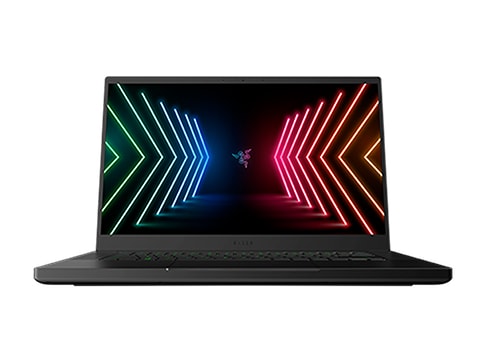
Built with quality materials, the Razer Blade 15 is another addition to our list of best 4K gaming laptops. It may not look like but it is a beast when gaming. It’s fast, powerful, and does what it is supposed to. The Intel processor and GeForce Graphics make this laptop induced with power and perfection. Razer Blade 15 is packed with upgraded hardware than any other ones. At this price, this one literally gives off itself.
One would not notice it as a gaming laptop at the first look. But when used, it will unleash its beast-mode. All-overall, it is the best in every aspect. The visual is simple yet stylish. The RGB backlit keyboard is a great addition to this one. The way Razer Blade 15 performs and offers the output, you can rest at ease. Working is more fun when the laptop understands what it needs to do.
Its 4K display is getting the recognition it deserves. It renders quicker and offers a smooth yet crisp visual experience. The shades of each color are profound and clear. Moreover, the color accuracy makes it even better. It is recommended for gaming since every feature complements gaming aspects.
The battery life of this laptop is pretty average and survives a couple of hours while gaming. It runs quiet and cool even under load. However, the heat can rise if it is under a heavier load. The keyboard is great and feels comfortable. They are RGB backlit and can be customized.
| Laptop | Razer Blade 15 |
| Processor | Intel Core i9 Processor |
| Memory | 16/32GB DDR5 |
| Memory Speed | 4800 MHz |
| Storage | 1 TB |
| Graphics | GeForce RTX 3080 Ti |
Key Features: The Razer Blade 15, one of the best gaming laptops features the Intel Core i9 processor, and GeForce RTX 3080 Ti GPU. It also features 16GB/32GB DDR5 memory with 4800 MHz memory speed and 1TB PCIe M.2 SSD.
- Beastly performance
- Runs faster and cooler
- Renders fast
- Smooth display
- Sleek and minimal design
- Average Battery life
- Gets somewhat hot while gaming
![Dell XPS 13 [4K Laptop, not for Gaming]](https://infurpose.com/wp-content/uploads/2022/01/dell-xps-13.jpg)
Dell XPS 13 [4K Laptop, not for Gaming]
Another Dell XPS model with beautiful looks and design. It is light and cool when performing. When it comes to windows-based laptops, dell has made a revolutionary comeback with its product and XPS 13 is one of them. Its gorgeous screen and display with sleek design make it stand out really well. One thing about it is that gaming is not up to par for this laptop. You can call it a great 4K laptop but not a 4K gaming laptop.
The display with a 4K ultra HD feature shows every fine detail and smooth crisps of the visual. Its anti-reflect screen is glossy and you can watch the screen clearly from any angle. It is easy on the eyes yet shows vibrant and beautiful color contrast.
Power, mobility, seamlessness when performing; it has everything. For everyday jobs, moderate editing, watching movies is what you can do great with the Dell XPS 13. Nevertheless, its battery life is not satisfactory average life.
| Laptop | Dell XPS 13 |
| Processor | Intel Core i7-1195G7 |
| Memory | 16GB LPDDR4x |
| Memory Speed | 4267 MHz |
| Storage | 512 GB |
| Graphics | Intel Iris Xe Graphics |
Key Features: The Dell XPS 13 comes with Intel Core i7-1195G7 Processor with up to 5.0 GHz processing speed. It features Intel Iris Xe Graphics and 512GB M.2 PCIe NVMe SSD. It also features integrated 16GB LPDDR4x dual-channel memory with 4267 MHz memory speed. Moreover, XPS 13 has 2 x Thunderbolt 4 ports and 1 MicroSD-card slot.
- Great Display quality
- Powerful components
- Beautiful design
- Average Battery life
- Average Webcam
Frequently Asked Questions
Are 4K gaming laptops worth it?
For creators and those who want the sharpest visuals, yes — but 4K is demanding, so you need a powerful GPU and may lower settings for high frame rates in demanding games. For pure high-FPS gaming, a 1440p or 1080p high-refresh screen is often better value.
What is the best 4K gaming laptop?
Strong options include the Dell XPS 15 and XPS 17, HP Spectre x360 15t, and Gigabyte Aero 17 — they pair 4K displays with capable GPUs and double as creative machines.
Do you need a 4K laptop for gaming?
No. Many gamers prefer a faster 1440p or 1080p display for higher frame rates. Choose 4K if you value visual detail, do content creation, or watch a lot of 4K media.
What specs do you need for 4K gaming?
A high-end GPU to drive 4K, a fast multi-core CPU, at least 16GB of RAM, and an SSD. Also check cooling and battery, since 4K panels and strong GPUs draw more power.