


Just like phones, laptops have also become one of the inseparable necessities in our life. Whether you are a student or an office clerk, a laptop is needed whenever the situation asks and since it is convenient for traveling especially. However, sometimes the price makes us look into the laptops even more as to which one could be the best within the price range.
A laptop is like an alternative to a PC, though it’s not always the same for everyone. Some like to work on a PC while some like it to be on Laptop. The same goes for Gaming. Most gamers play or stream on PC. However, some of us prefer it to be on a laptop. Since gaming needs a lot of things going on, the laptop should be able to handle it while keeping the system good. That’s how gaming laptops were released. The criteria we go through while building a gaming PC are all put into the laptop so that it can withstand the pressure.
This article is all about the best gaming laptops under $500. This budget is enough to get your hand on a good gaming laptop if you research well or come across it. Though laptops under 500 have some things to consider such as graphics, FPS, RAM, refresh rate, and more. Because you can’t possibly buy a laptop with high-end features and qualities for 500 dollars. Still, there are a few laptops that will offer the best possible performance and features in this matter. Let’s start our journey to find the best $500 budget gaming laptop.
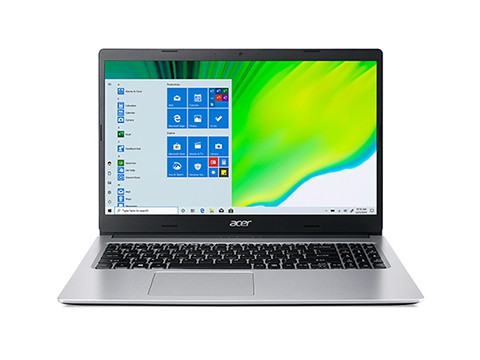
Acer Aspire 5 3200U

- Lightweight and easy to carry
- Beautiful design
- Reliable
- High mic quality
- Beautiful screen quality
Best Gaming Laptops Under $500
Acer Aspire 3 15.6″
The Acer Aspire 3 is a pretty good performing Laptop for the price. It is quite a good laptop for this budget. It will be okay with playing moderate games. However, if your goal is to play high-end or demanding games, it would be better to increase the budget and check out other options. Because there are not any good laptops to match up with those powerful games under five hundred.
This laptop uses the Intel Core i3 1115G4 with a 3.0 GHz base and 4.10 GHz turbo frequency. The display is full HD and Acer has gotten better with this one’s screen quality. Moreover, it has got good high-speed storage within. It has also got fast internet service with the latest Wi-fi connection. The ergonomic hinge of this one also gives access to any type of angle to work with. It is pretty cheap for the features and performance you will be getting at both normal works and gaming.
The screen is of perfect size for watching movies every now and then. Moreover, the resolution of the screen is pretty good at this point. Even if the battery life is not of the highest quality, seeing all the other good sides makes it a far reasonable one.
Key features: The Acer Aspire 3 features Intel Core i3 1115G4 with a 3.0 GHz base frequency and 4.10 GHz turbo frequency. It includes 4GB of non-removable DDR4 memory with 16GB of maximum memory support. For storage, it has a 1TB SATA HDD with 1 SSD slot. This has integrated Intel UHD graphics and shared memory. It has both Wi-Fi and Bluetooth for internet connectivity.
Downsides: The battery life of this laptop is pretty average.
- Good for gaming
- One of the best Screen
- Reasonable
- Average battery life
- No USB Type-C connection port
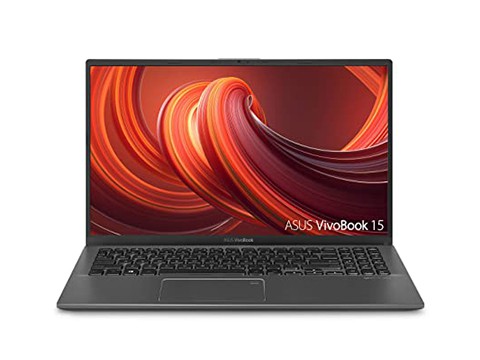
ASUS F512DA-EB51 VivoBook 15 Thin And Light Laptop
This Asus laptop is blazing fast while doing its work. However, moderate gaming or playing older games will suffice for this one. You can easily use 1080p and 60 FPS for gaming. Otherwise, it will be going down. Every other thing is pretty responsive and has good applications support. You can just boot and it will be finished within a few moments. The screen quality is pretty standard and surprisingly good even at the first start. Moreover, the battery quality has a green signal. The body shape of this laptop is really pretty and has a sleek yet stylish look. The build quality is also worth the comment.
The speakers are also pretty good for a laptop and yeah, they are loud. The cooling is also admirable which is average and the fan noise is acceptable. It supports an AMD Ryzen processor with powerful Radeon Vega graphics. It features a fingerprint scanner that is quite quick with its job.
This one is lightweight and pretty easy to move around with. The keyboard is also much better for typing. It’s comfortable. The laptop itself looks pleasing with its look. Even the ports are of quality materials along with a solid build. Unless you are looking for a hardcore gaming laptop, this one will be just perfect for normal or simple gaming.
Key Features: The ASUS F512DA-EB51 Vivobook 15 Features AMD Ryzen 5 3500U Processor with more than 3.7 GHz speed. It has got Radeon Vega 8 as the integrated graphics. The memory capacity is 8GB with 12GB maximum storage.
Downsides: It cannot do more than moderate gaming.
- Backlit keyboard
- Good battery life
- Sleek and stylish
- Radeon Vega 8
- Average cooling
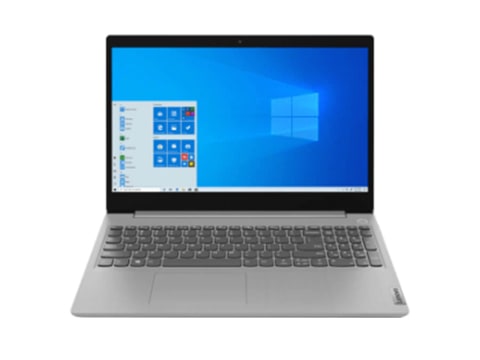
Lenovo IdeaPad 3 15”
The Lenovo Ideapad 3 comes with the AMD Ryzen 3 3250U mobile processor and AMD graphics option as well. This one is pretty good for everyday use along with gaming. Though it cannot handle demanding or powerful games, it can do all other things well. It has a numeric keypad that offers quite good feelings. However, the keys are not of solid or quality materials. Sometimes it misses the input if not clicked fully. Apart from this problem, writing or typing is no problem with this one.
It has dual speakers with Dolby audio enhancing features. The sound quality is good and it is even better when using a microphone. The disappointing this is that its keyboard has no backlit.
Lenovo has offered something best with this laptop regarding privacy. At the edge of the top bezel, there is a shutter. You just need to slide it to shut the webcam over. Moreover, there is no fingerprint reader that collects the data through it. You can enhance your laptop security even more in the settings.
Key features: The Lenovo Ideapad 3 15” comes with the AMD Ryzen 3 3250U with 2.6 GHz processor speed. It has 8GB of DDR4 memory and Up to 256GB of SSD memory. Also, it includes AMD Radeon integrated graphics with options. It has more than 2×2 WiFi 6 ax and Bluetooth 5.0 version. Its hinge is 180°. Moreover, it comes in many colors.
Downsides: The keyboard has quite problematic keys and the screen could have been better.
- Good and enough memory
- Reasonable price
- Keys are sluggish
- No backlit
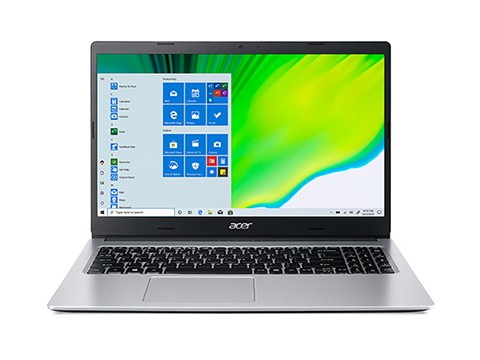
Acer Aspire 5 3200U
The Acer Aspire 5 is a solidly built laptop with a sleek and beautiful design. This one comes with the AMD Ryzen 3 3200U processor and AMD Radeon RX Vega 3 integrated graphics. It possesses great value at a bargain price. If you are looking for a fast and reliable laptop while putting a budget price, this one could be the right one for you. You can upgrade the Ram and even exchange the Ram sticks to upgrade it better. It also boots fast and it is done in a moment.
Aspire 5 is so light that even if you carry it all day long, you won’t be able to say that you’ve carried a laptop. It also has a backlit keypad. The light remains on while you are typing and shuts down when you are not. It would have been one of the top best on this list if it had better gaming resolution. Apart from that, this laptop eats up everything perfectly. Every feature it holds which comes at this price is more than enough. The screen quality is gorgeous as well.
This one is so fast and responsive that one would not mind working with it the whole day. From looks to features, Acer Aspire 5 has everything possible. Even the customer care of Acer is good and worth commendable.
Key features: Acer Aspire 5 comes with AMD Ryzen 3 3200U that has a 2.6 GHz processor speed Radeon RX Vega 3 as the integrated graphics. It has 8GB DDR4 RAM along with a 128GB SSD. For the network, it has Ethernet LAN, Wi-Fi, and even Bluetooth. Moreover, it features 2 x USB 2.0 Type-A, and 1 x USB Gen 3.2 Type-A with 5Gbps speed.
Downsides: The only downside is not supporting high-end games.
- Lightweight and easy to carry
- Beautiful design
- Reliable
- High mic quality
- Beautiful screen quality
- Only moderate gaming
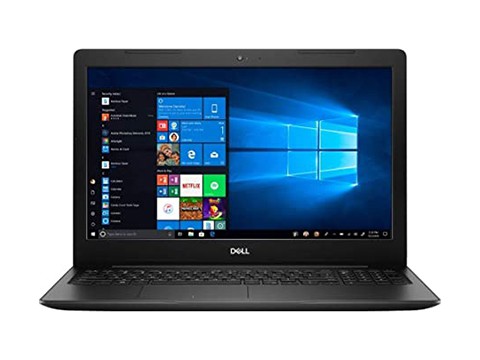
Dell Inspiron 15.6
The Dell Inspiron comes with the Intel Core i3-1115G4 Processor and Intel UHD graphics along with graphics memory. This one is good for the price. It is responsive and fast. The quiet and effective performance is just the speed one needs. The wide-ranging numeric keyboard will let you have a clear path while typing. Its built-in HD webcam offers a good capture. Moreover, it has got an ergonomic hinge which is why you can use it at any angle.
It is pretty bulky and the weight is good enough not to think as it would snap at any moment. The screen quality and other options are lucrative. The touchpad is good and works just fine.
This laptop works and loads fast with responsive nature. The processing speed is good and it is what that’s making the work faster. This ones’ keyboard also doesn’t have a backlit feature.
Key features: The Dell Inspiron features an Intel Core i3 1115G4 processor with more than 4.1 GHz turbo speed. It has Intel UHD graphics that have graphics memory as well. Also, it has 4GB memory along with a 128GB SSD. As for ports, it includes 1 x USB 2.0, 1 x Audio jack, 2 x USB 3.2, and 1 x HDMI 1.4.
Downsides: There is no backlit.
- Fast and responsive
- Quiet performance
- No backlit
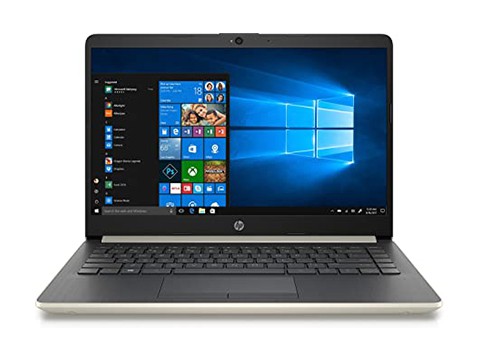
HP 14-CF0014DX
The HP-14-CF0014DX is a good budget laptop that comes with the Intel Core i3 7100U with a 2.4 GHz processing speed. It is lightweight and has pretty good value at this price. If you are looking for a laptop to do daily work and normal gaming, you can give it a go. You can play games that do not require high or powerful graphics and processors. It features Intel integrated graphics HD 620. The wireless connectivity offers fast service as well.
The boot time is also a few seconds and you will be done in a jiffy. However, the software is packed with unnecessary features and options and also is worthless. You can carry it around for the whole day and still be okay with it. The touchpad has multiple touch gesture support and is quicker. The keyboard is also of wide range which helps with fast yet reliable typing.
It has dual speakers which are good for the laptop. This HP runs well as expected and is worth the money as well.
Key Features: The HP-14-CF0014DX comes with Intel Core i3 7100U with 2.4 GHz processing speed and integrated graphics Intel HD 620. It has 8 GB DDR4 memory and 128 GB M.2 SSD hard drive. Also, it includes 802.11b/g/n (1×1) Wi-Fi and Bluetooth 4.2 for connectivity. This one features 1 x USB 3.1 Type-C Gen 1, and 2 x USB 3.1 Gen 1 ports.
Downsides: The software is useless.
- Good value
- Portable and super lightweight for a laptop
- Has high-end usage
- Picky about gaming
Frequently Asked Questions
Can you really game on a laptop under $500?
Yes, for esports and older titles like Fortnite, Valorant, Minecraft, and League of Legends at lower settings. Sub-$500 laptops handle those smoothly, but demanding new AAA games will struggle or need minimum settings.
What specs matter most in a budget gaming laptop?
Prioritize 8GB of RAM (ideally upgradeable), an SSD for fast loading, and a modern quad-core CPU. At this price you are usually on integrated graphics, so keep resolution and settings modest.
What is a good gaming laptop under $500?
Commonly recommended options in this range include the Acer Aspire 5, ASUS VivoBook 15, Lenovo IdeaPad 3, and Dell Inspiron 15 — they balance RAM, storage, and CPU well for the money.
Is it better to buy a cheap gaming laptop or save for a better one?
If you play esports or older games, or need an everyday laptop that games occasionally, sub-$500 is fine. To run new AAA titles well, save for a model with a dedicated graphics card.