

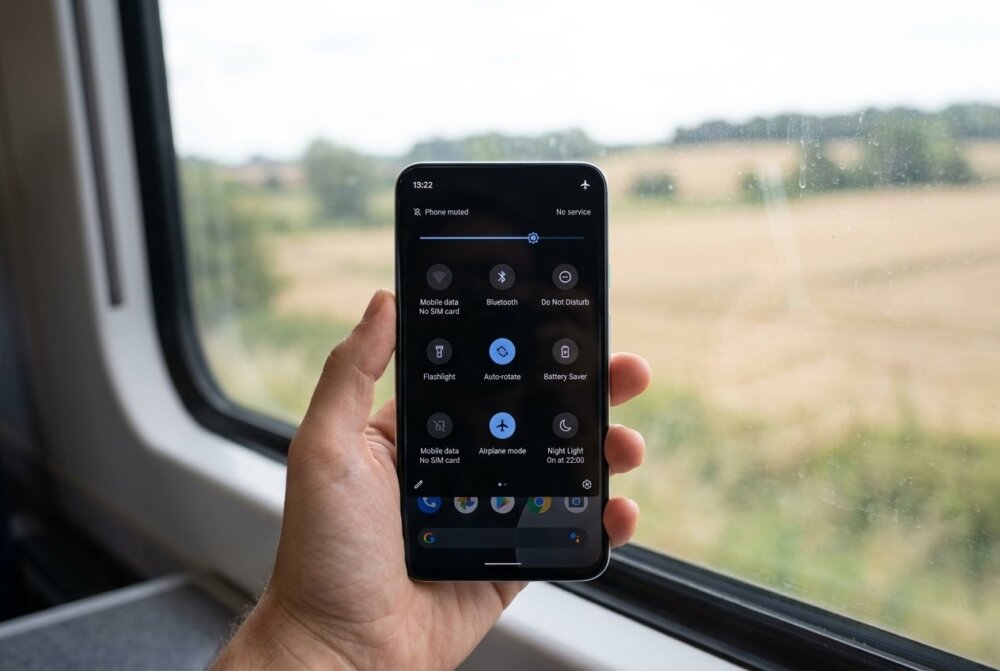
Quick answer: No, airplane mode does not fully stop tracking. Airplane mode switches off your phone’s cellular, Wi-Fi, and Bluetooth radios, so your device stops transmitting its location in real time. But the GPS chip still receives satellite signals, your phone keeps logging where you go, and any tracking app can upload that saved history the moment you reconnect. To truly stop location tracking you have to turn off Location Services, remove tracking apps, and check who has access to your accounts.
Airplane mode is one of the most misunderstood features on your phone. A lot of people flip it on thinking they have gone invisible. The reality is more limited, and if you are worried someone is following your movements, understanding exactly what airplane mode does and does not do can save you from a false sense of safety.
Last Updated: September 2026 · Written by Samuel Smith, a consumer technology writer and digital-privacy researcher who has spent years testing phone tracking and location settings for everyday, non-technical readers.
From experience: When someone asks me if airplane mode makes them invisible, I tell them the truth — it cuts your cellular connection, so calls, texts, and mobile data stop, but it doesn’t reliably turn off GPS, and Wi-Fi or Bluetooth can be switched back on and still leak location. It’s a pause button, not an off switch.
What Airplane Mode Actually Turns Off
When you enable airplane mode, your phone disables the radios that send and receive signals over a network: cellular data and calls, Wi-Fi, and Bluetooth. That means while airplane mode is on, your phone cannot connect to a cell tower, cannot reach the internet, and cannot pair with nearby devices unless you manually turn one of those radios back on.
Because those radios are off, your phone cannot send your live location anywhere. Apps that share your position in real time, like a family locator or a messaging app with location sharing, will show your last known spot and then go stale. In that narrow sense, airplane mode does interrupt live tracking.
Why GPS Still Works in Airplane Mode
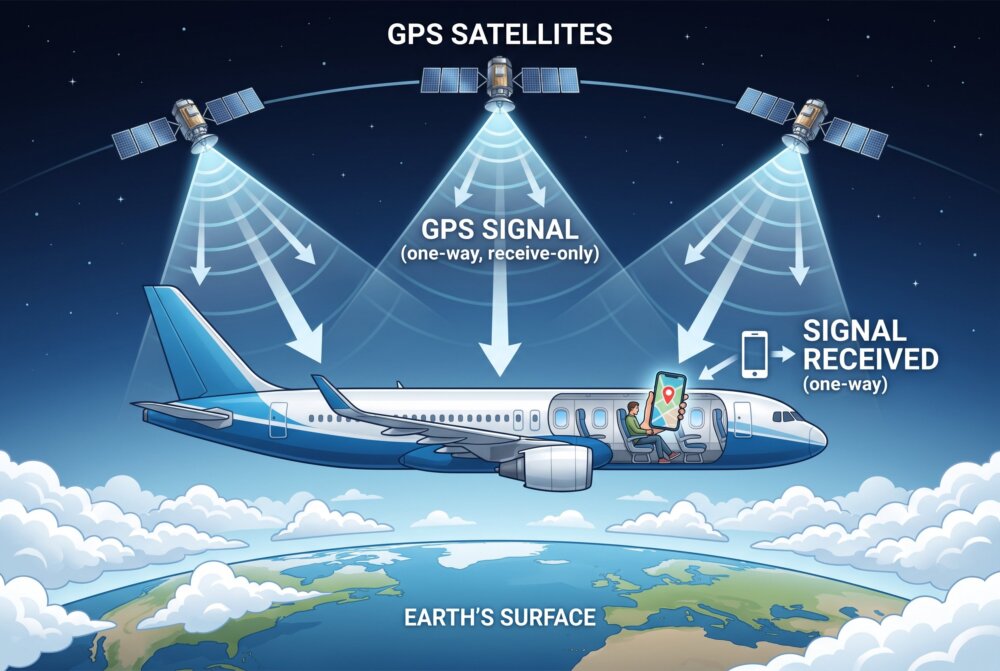
Here is the part that surprises people. GPS is a receive-only technology. Your phone listens for signals broadcast by satellites overhead and calculates its position from them. It does not need a cell tower or Wi-Fi to do this, and it does not transmit anything back to the satellites. So on most modern phones, the GPS chip keeps working even in airplane mode.
What that means in practice: your phone still knows where it is, and it can keep writing that location into its own logs and into any app that requested location access. The information just sits on the device until a network connection returns. The instant you turn airplane mode off, or toggle Wi-Fi back on, all of that stored location data can be uploaded at once.
Can Someone Still Track You in Airplane Mode?
Yes, in several ways. First, stalkerware or a hidden monitoring app can quietly record your GPS trail while you are offline and then sync it later. Airplane mode delays the upload; it does not erase the trail. Second, your phone’s built-in location history features can keep a timeline of everywhere you went. Third, if someone has access to your cloud account, they may see location data your phone syncs once you reconnect.
If you genuinely suspect someone is monitoring you, airplane mode is not the fix. It is a pause button, not an off switch. You need to look at what is installed on the phone and who can log into your accounts. Our guides on how to stop someone from tracking your phone and the signs your phone is tapped walk through how to check.
How to Actually Stop Location Tracking
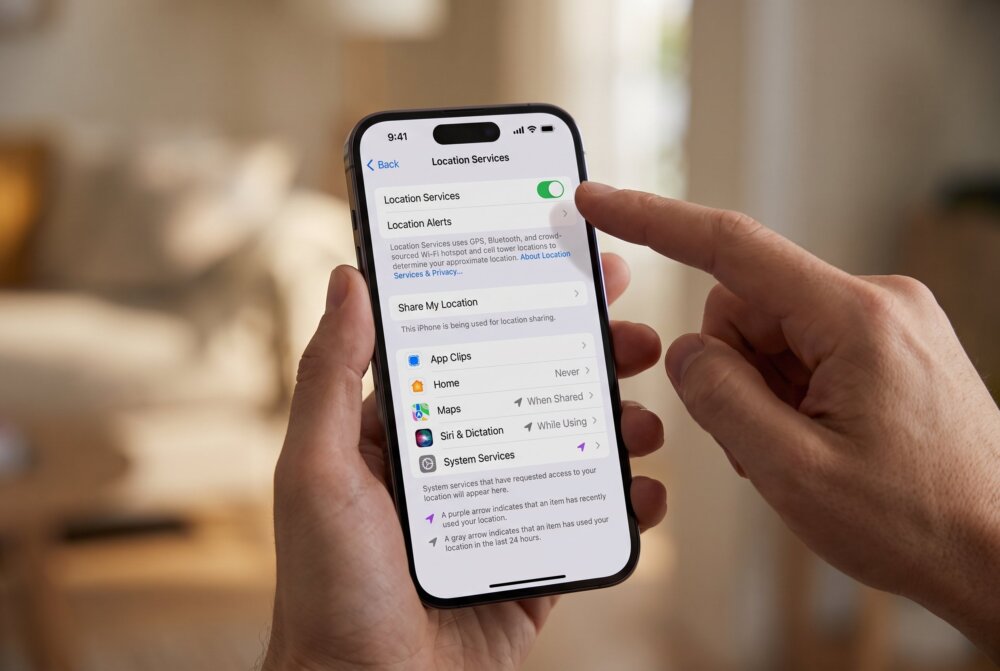
To meaningfully cut off tracking, combine several steps rather than relying on one toggle:
- Turn off Location Services. On iPhone go to Settings > Privacy & Security > Location Services and switch it off, or review it app by app. On Android go to Settings > Location and turn it off, then check which apps had permission.
- Audit your apps. Look for anything you do not recognize, especially apps with vague names and broad permissions. Remove tracking or monitoring apps entirely.
- Review location sharing. Check family-locator apps, messaging apps, and map apps for anyone you did not intend to share with. Turn off “Share My Location.”
- Lock down your accounts. A person with your Apple ID or Google password can see your device location remotely. Change the password and turn on two-factor authentication.
- Check for a “Find My” style device sharing you did not set up. Someone may have added your phone to their account or slipped a physical tracker into your bag. See our guide on how to check if an AirTag is tracking you.
If you want a guaranteed physical block, a Faraday signal-blocking pouch stops every radio at once — cellular, Wi-Fi, Bluetooth, and GPS reception — the moment your phone goes inside, so nothing can transmit or log your location until you take it back out.
When You Actually Want to Use Airplane Mode
Airplane mode is still useful. It is a fast way to stop live location sharing for a short window, cut off remote commands to a phone you think is compromised, save battery, and stop notifications. If you believe a phone is actively being controlled remotely, putting it in airplane mode can buy you time while you take further steps, like those in our guide on how to stop remote access to your phone. Just do not treat it as a permanent cloak of invisibility.
A Note on Safety
If you are worried about being tracked because of an abusive partner, ex, or family member, please be careful. Suddenly turning off location sharing or airplane-moding your phone can sometimes escalate a dangerous situation, and a determined abuser has more than one way to monitor you. You do not have to figure this out alone. The National Domestic Violence Hotline is available 24/7 at 1-800-799-7233, and the National Network to End Domestic Violence (NNEDV) Safety Net project has step-by-step technology safety guidance built for exactly this situation.
Frequently Asked Questions
Does airplane mode turn off GPS?
No. Airplane mode turns off cellular, Wi-Fi, and Bluetooth, but the GPS receiver keeps working on most phones because it only listens for satellite signals and does not transmit. Your phone can still determine and log its location while in airplane mode.
Can I be tracked with my phone in airplane mode?
Live, real-time tracking is paused because your phone cannot send data. But a hidden tracking app can store your location and upload it as soon as you reconnect, and physical trackers or account access can still reveal your movements. So airplane mode reduces tracking, it does not guarantee it.
Does airplane mode stop someone from finding my phone location?
While airplane mode is on, “Find My iPhone” or “Find My Device” will usually show your last known location and then stop updating, because the phone cannot report new positions. Once the phone reconnects to any network, the current location becomes visible again.
What is the fastest way to stop all location tracking?
Turn off Location Services in Settings, turn off any location sharing, and remove apps you do not recognize. For the strongest privacy, combine that with changing your Apple ID or Google password and enabling two-factor authentication so no one can pull your location remotely.
Does turning my phone completely off stop tracking?
A fully powered-off phone cannot transmit or receive location data, so it stops live tracking better than airplane mode. However, some tracking apps log data before shutdown and upload it at next boot, and modern phones have limited low-power location features, so powering off is not a permanent solution either.
Is airplane mode enough to protect my privacy?
No. Airplane mode is a temporary pause on network transmission, not a privacy tool. Real protection comes from controlling app permissions, securing your accounts, removing monitoring software, and checking for physical trackers.
Traveling soon? Lock down every device before you go.
Your phone, laptop, and tablet all carry your accounts, photos, and passwords — and every one of them is more exposed on hotel Wi-Fi, in airports, and away from home. Our free Travel Security Kit Builder walks you through a personalized checklist to protect whatever you’re taking with you.
Samuel Smith is a consumer technology writer and digital-privacy researcher with more than a decade covering smartphones, apps, and online security, known for turning complex privacy topics into plain-English, tested advice for everyday people. He regularly tests how phone tracking and location settings actually behave, so his guidance reflects what really happens on a phone rather than the marketing.