

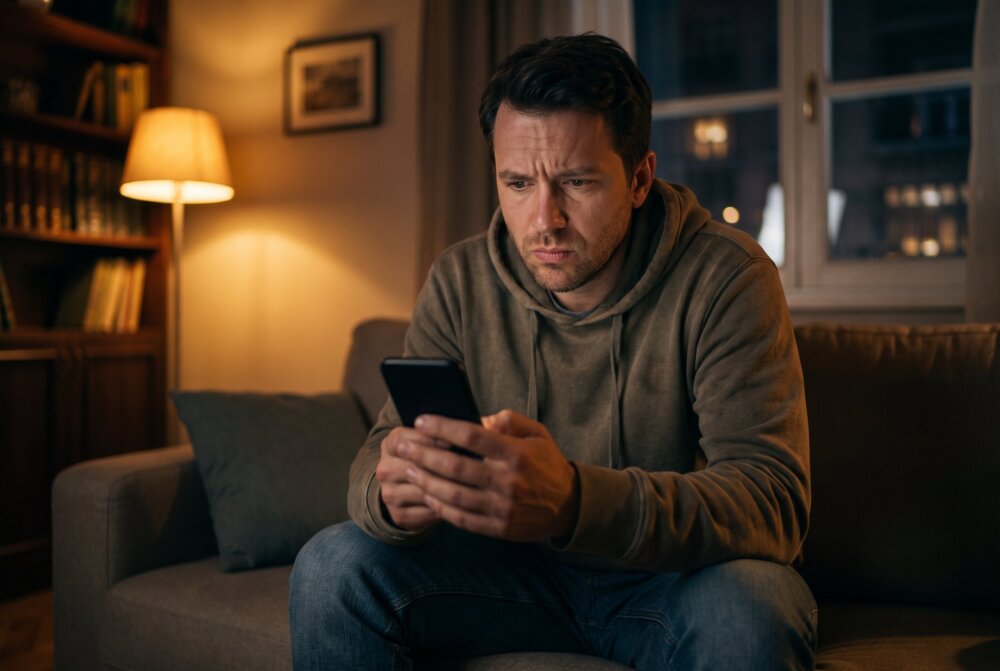
Quick answer: A tapped or monitored phone rarely shows one obvious sign — it shows several at once. Watch for your battery draining much faster than usual, your phone running warm when idle, unexplained spikes in data use, the screen lighting up or restarting on its own, background clicking or static on calls, and apps or settings changing without you touching them. Any one of these can be an ordinary glitch. But when three or four appear together, monitoring software is a real possibility. This guide explains each sign, how to check it, and the exact steps to take if you find something — including how to act safely if the person spying is someone close to you.
“Tapped” is an old word for something modern. Decades ago it meant a physical wiretap on a landline. Today, the far more common threat is stalkerware or spyware — an app secretly installed on your phone that quietly forwards your messages, location, calls, and screen activity to someone else. The good news is that this kind of monitoring leaves fingerprints. Here are the ones that matter, and how to read them without jumping to conclusions.
Last updated: August 2026 · Written by Samuel Smith, a consumer technology writer and digital privacy researcher who helps non-technical people tell real phone-monitoring symptoms from ordinary glitches.
Sign 1: Your battery drains far faster than it used to

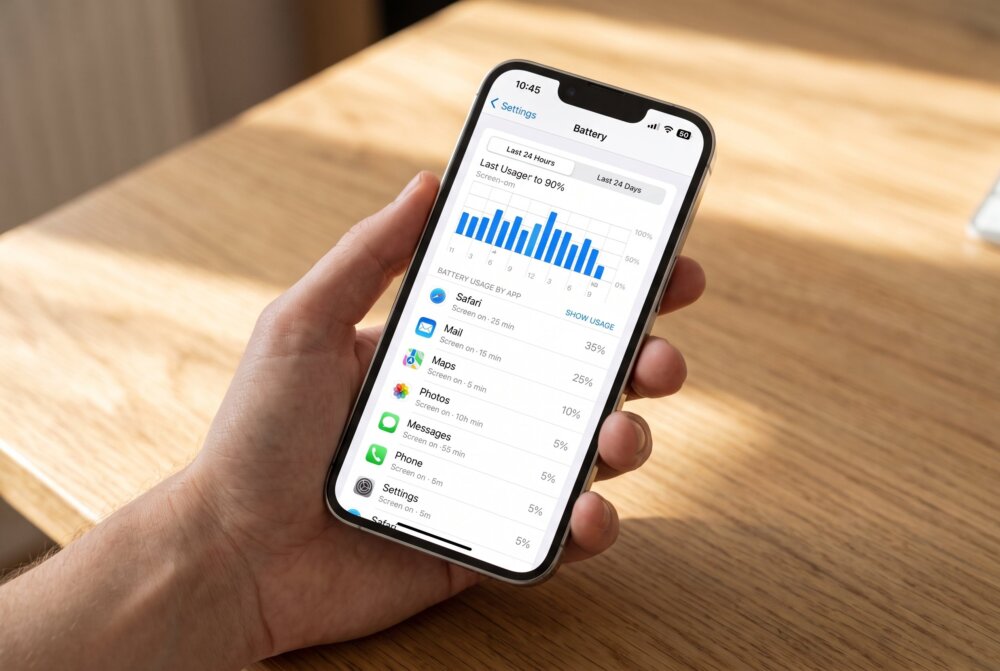
Monitoring software has to run constantly in the background — recording, packaging, and uploading your activity — and all of that burns power. If your battery suddenly dies by mid-afternoon when it used to last all day, and nothing else has changed, that’s worth investigating. Check which apps are using the most power in Settings → Battery. Look for anything you don’t recognize near the top of the list, especially an app with a vague name using power in the background even when you’re not opening it.
The caveat: batteries also degrade naturally with age, a new software update can temporarily hurt battery life, and a single power-hungry game can skew the numbers. Fast drain matters most when it’s sudden and paired with other signs on this list.
Sign 2: Your phone runs warm when you’re not using it
A phone that feels hot in your pocket or on the nightstand while it’s just sitting there can be a clue. Constant background recording and uploading keeps the processor working even when the screen is off, and that generates heat. If your phone is warm at times when it should be cool and idle, note when it happens.
Again, context matters — charging, direct sunlight, and heavy apps all cause normal warmth. The signal here is heat with no obvious cause, especially overnight.
Sign 3: Unexplained spikes in mobile data
Spyware sends everything it collects — your messages, photos, and location — off your phone to whoever is watching, and that uses data. A sudden jump in your data usage that you can’t explain is one of the more reliable red flags. In Settings, open your mobile-data usage and look for an app consuming a lot of data that shouldn’t be, or a large “System” or “Services” figure that appeared recently. Some monitoring apps disguise themselves inside those generic categories precisely so the traffic looks routine.
Sign 4: The screen lights up, restarts, or is slow to shut down
Watch how your phone behaves when you’re not touching it. A screen that wakes on its own, a device that restarts unexpectedly, or a phone that’s oddly slow to power off can all point to background software. That last one is telling: some monitoring apps actively delay shutdown until they’ve finished sending their latest batch of data, so a phone that “hangs” every time you try to turn it off deserves a closer look.
Sign 5: Background noise, clicking, or echoes on calls
Clicking, static, faint voices, or a hollow echo during calls is the classic “wiretap” sign — and while modern digital networks make true call interception rare, unusual call audio can still indicate that software is recording or routing your calls. It’s a weaker sign on its own than the battery and data clues, because poor reception causes the same noises. Treat it as one more data point, not proof by itself.
Sign 6: Apps you don’t recognize, or settings that changed themselves
Scroll through your full app list — not just your home screen, but every installed app. Spyware often hides behind boring, official-sounding names like “System Manager,” “Device Health,” “Sync Services,” or “Phone Update,” hoping you’ll scroll right past. On Android, also check whether “install from unknown sources” or accessibility permissions have been switched on for an app you don’t remember approving, since stalkerware relies on those to work. On both platforms, look for a device-administrator or profile you didn’t set up. Our guides on signs your iPhone is being monitored and signs your Android phone is hacked break down exactly where to look on each system.
Sign 7: Strange texts, and messages read before you see them
Some monitoring tools receive commands through hidden text messages, so a run of texts full of random letters, numbers, or symbols from a number you don’t know can be a sign. And if messages are marked as read before you’ve opened them, or replies reference things you never told the sender, someone may be seeing your screen in real time. Combined with the technical signs above, this points toward active monitoring rather than a glitch.
How to check more carefully
From experience: A hot phone or a dying battery on its own doesn’t convince me — that’s usually rough charging habits or heavy use. I start to worry when I can point at something that shouldn’t be there: an unknown signed-in device, an account, an app, or a configuration profile — or when someone clearly knows things they shouldn’t.
If a few of these signs line up, do a calm, methodical check before doing anything drastic:
- Review battery and data by app (Settings → Battery and Settings → mobile data). Note anything unfamiliar near the top.
- Audit your app list and permissions. Remove apps you don’t recognize, and revoke camera, microphone, and location access from anything that doesn’t obviously need it.
- Check for device administrators, VPN/profile configs, and accessibility permissions you didn’t set up — favourite hiding places for stalkerware.
- Update your operating system. Updates patch the security holes spyware exploits, and can break some monitoring tools outright.
- Rule out physical trackers too. If your worry is location rather than messages, an AirTag hidden in a bag or car is a separate threat — see our guide on checking if an AirTag is tracking you.
For a step-by-step walkthrough of finding and deleting monitoring apps on both platforms, our guide on how to find and remove spy apps covers the whole process.
What to do if you find something

If you confirm monitoring software, resist the urge to just delete it in a panic — especially if the person who might have installed it is a partner, ex, or family member. Removing stalkerware can alert whoever put it there, and if that person could react badly, your physical safety comes first. Before you touch anything, consider documenting what you found (screenshots of the app, the permissions, the data usage) in case you need evidence later, and think through whether removing it could put you at risk. Our guide on whether your phone is being tracked walks through this decision, and if the situation involves someone who might harm you, reach out to a domestic-violence advocate before acting rather than after.
Once you’ve made a safe plan, the cleanest fix is usually a combination of removing the specific app, changing the passwords to your key accounts from a different trusted device, and — in serious cases — a full factory reset. Do not restore from an old backup afterward, because that can quietly reinstall the very software you removed.
Related: Learn whether someone can listen to your phone calls.
Traveling soon? Lock down every device before you go.
Your phone, laptop, and tablet all carry your accounts, photos, and passwords — and every one of them is more exposed on hotel Wi-Fi, in airports, and away from home. Our free Travel Security Kit Builder walks you through a personalized checklist to protect whatever you’re taking with you.
Related: Does Airplane Mode Stop Tracking?
Frequently asked questions
Is there a code I can dial to see if my phone is tapped?
You’ll see codes like ##002# (to clear call forwarding) and *#21# passed around online. They can tell you whether calls or texts are being forwarded at the carrier level, which is useful, but they do not detect app-based spyware — which is how most phone monitoring actually happens today. Don’t rely on a dial code as an all-clear. The battery, data, and app checks in this guide are far more meaningful.
Can someone tap my phone without touching it?
Most consumer stalkerware requires brief physical access to install, so if your phone is always with you and locked with a strong passcode, that’s a big protection. Remote compromise exists but is rarer and usually targets high-profile people. The most common real-world scenario is someone you know installing an app during a moment of access, which is why a strong, private passcode matters so much.
Does a single sign mean my phone is definitely tapped?
No — and this is the most important point. Fast battery drain or a warm phone on their own are usually just age, updates, or heavy use. Monitoring becomes likely when several signs appear together and can’t be explained. Look for the pattern, not the single symptom.
Will antivirus find phone spyware?
A reputable mobile security app can catch many known stalkerware and spyware families and is worth running as part of your check. But some monitoring tools are built to evade detection, so a clean scan isn’t a guarantee. Pair a scan with a manual review of your apps, permissions, and data usage for the best picture.
If I find spyware, should I just delete it right away?
Only once you’ve thought about safety. If the person who may have installed it could become dangerous when they lose access, removing it suddenly can escalate the situation. Document what you found first, make a safety plan, and consider talking to a domestic-violence advocate before you remove anything. If there’s no personal-safety concern, removing the app and changing your passwords from another device is the right move.
Does updating my phone remove spyware?
Sometimes. Operating-system updates close the security gaps some spyware relies on and can disable certain tools, so updating is always a good step. It’s not guaranteed to remove everything, though, so combine updates with an app audit and, in serious cases, a factory reset.
Trust the pattern, not a single glitch. If several of these signs line up, work through the checks calmly — and if the person who might be watching is someone close to you, put your safety first before you remove anything.
This is a sensitive topic. If you’re dealing with an abusive partner or someone who may harm you, help is available. In the U.S., the National Domestic Violence Hotline (1-800-799-7233) and the National Network to End Domestic Violence’s Safety Net project (nnedv.org/tech-abuse) offer free, confidential guidance on technology safety.
Written by Samuel Smith, a consumer technology writer and digital-privacy researcher who helps non-technical people tell real phone-monitoring symptoms from ordinary glitches.