

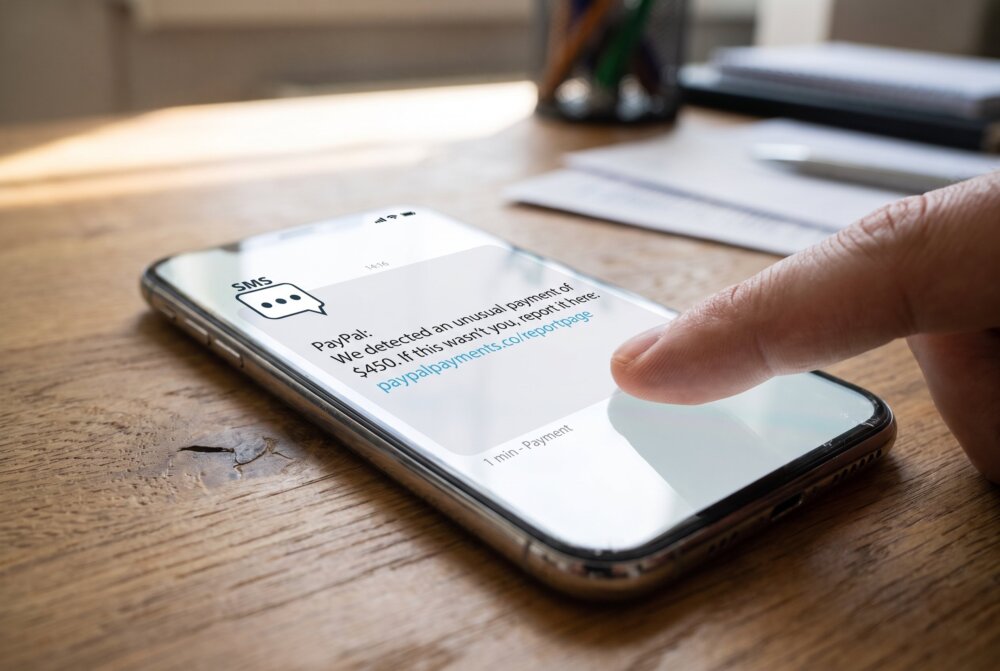
Quick answer: You can spot a phishing text (also called smishing) by watching for a few structural red flags: it arrives unexpectedly, it creates urgency about a package, toll, bank, or account, and it pushes you to tap a link instead of opening the official app. Legitimate companies rarely text you a link asking for passwords, payment, or verification codes. If a text does any of that, do not tap the link. Verify through the company’s real app or website, then forward the message to 7726 (SPAM) and delete it.
Scam texts have exploded, and they are getting harder to catch. U.S. consumers reported hundreds of millions of dollars in losses to scams that started with a text message, and text-based attacks now get clicked far more often than email scams. The reason is simple: texts are short, you cannot easily preview a link, and most of us trust our text inbox more than our email. Here is how to protect yourself.
Last Updated: September 2026 · Written by Samuel Smith, a consumer technology writer and digital-privacy researcher who has spent years helping everyday readers recognize and shut down phone scams.
From experience: The first thing I ask is ‘Was I expecting this?’ If a package problem, toll notice, bank alert, or refund shows up out of nowhere, I treat it as suspicious, never tap the link, and verify only through the company’s real app or a phone number I look up myself.
What Is Smishing?
Smishing is phishing that arrives by text message. The word combines “SMS” and “phishing.” A scammer impersonates a company or person you trust, creates a sense of urgency, and tries to get you to click a malicious link, hand over personal information, or send money. The message might look like it is from your bank, a delivery service, a government agency, or even a friend with the “wrong number.”
The Most Common Smishing Scams
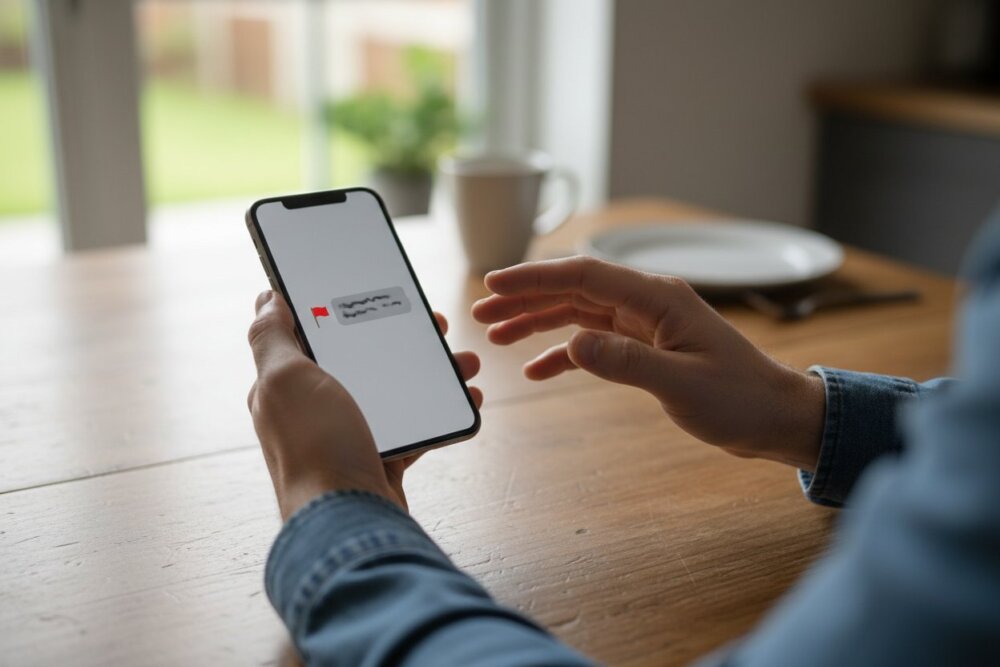
According to consumer-protection reporting, these are the text scams you are most likely to see:
- Fake package delivery. “We couldn’t deliver your package. Confirm your address here.” This is the single most reported text scam.
- Fake toll or DMV notices. “You have an unpaid toll. Pay now to avoid a penalty.”
- Bank or fraud alerts. “Did you make a $500 purchase? Reply YES or NO.” Replying connects you to a scammer.
- Bogus job offers. “You’ve been selected for a remote position paying $900/week.”
- Wrong-number texts. A friendly “Hi, is this Sarah?” that slowly builds into a scam or crypto pitch.
- Account suspension. “Your Apple ID / Amazon / Netflix account is locked. Verify here.”
How to Spot a Phishing Text
Old advice focused on typos and bad grammar. That still helps, but AI-written scams are now clean and convincing, so the reliable signals are structural. Ask yourself:
- Did I expect this? An out-of-the-blue message about a package you did not order or a bill you do not recognize is a red flag.
- Is it rushing me? Urgency (“act within 24 hours,” “final notice,” “account will be closed”) is designed to make you skip thinking.
- Is there a link? Scammers want you on their fake page. Legitimate companies usually tell you to open their app or type their known website yourself.
- Is the link address odd? Look for lookalike domains, random strings, link shorteners, or a country code that does not match the sender.
- Is it asking for secrets? Passwords, full card numbers, Social Security numbers, or one-time verification codes are things no legitimate business asks for by text.
- Is the sender strange? A “bank” texting from a personal 10-digit mobile number or an email-to-text address is suspicious.
One especially dangerous version asks you to read back a verification code. That is often a SIM swapping or account-takeover attempt. Never share a code someone texted or called to request.
What to Do If You Get a Phishing Text
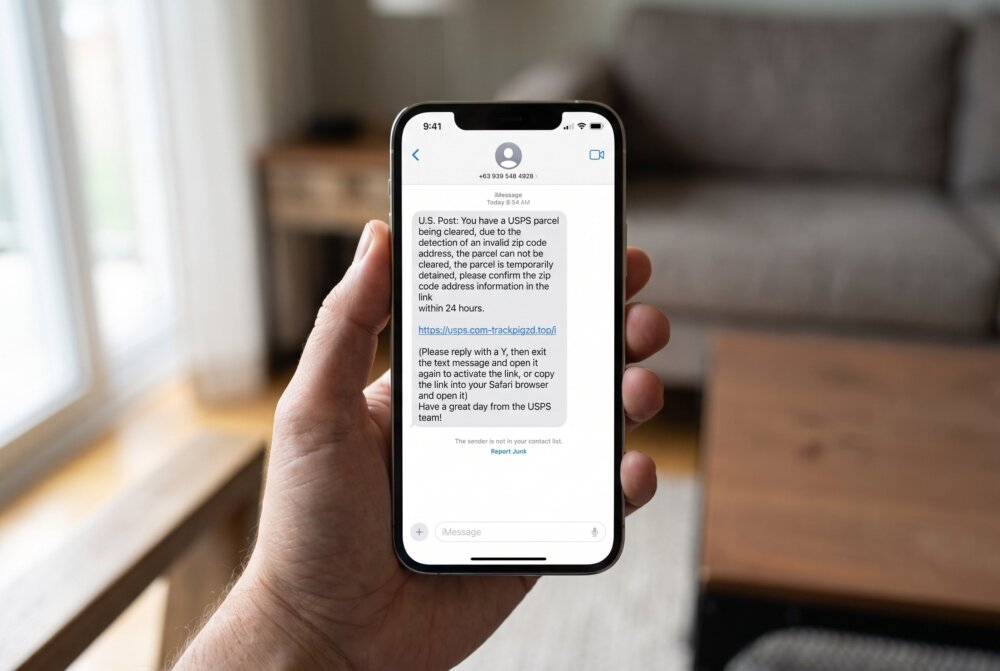
Follow these steps and you will stay safe even if the message is convincing:
- Do not tap the link and do not reply, not even “STOP.” Any reply tells the scammer your number is active.
- Verify independently. If it claims to be your bank or a delivery service, open that company’s official app or type its known web address yourself. Do not use the number or link in the text.
- Report it. Forward the message to 7726 (which spells SPAM). This alerts your carrier. You can also report scams to the FTC at ReportFraud.ftc.gov.
- Block and delete. Block the sender and remove the message.
- If you already tapped or entered info, change the affected passwords immediately, contact your bank about any exposed cards, turn on two-factor authentication, and watch your accounts closely.
Two quick checks make this almost foolproof. First, look inside your real account: if the text claims a charge, delivery problem, or login attempt, open the company’s app or type its website yourself and see whether that event actually exists. Second, copy a distinctive sentence from the message — never the link — and search it online; mass scam campaigns are usually reported by other people or listed on the company’s own scam page.
What If You Clicked the Link?
Clicking a link alone is usually less dangerous than what you do next, but it can still lead to a fake login page or a malware download. If you clicked, do not enter any information on the page that opened. Close it, clear your browser, and if you were prompted to install anything, do not. If you did enter credentials, treat those accounts as compromised and reset them. For a deeper cleanup, see our guide on how to remove a hacker from your phone. If you are worried a scammer is now reading your messages, our guide on whether someone is reading your texts can help.
If you’re worried a link may have slipped something onto your phone, a mobile security app like Bitdefender Total Security can scan your device and flag or remove malware before it does real damage.
How to Cut Down on Scam Texts Going Forward
You cannot stop every scam text, but you can reduce them. Enable your phone’s built-in spam filtering (both iPhone and Android offer it), never reply to unknown senders, avoid posting your number publicly, and be cautious about entering your number into online forms and giveaways. Report the ones that get through, since that feedback helps carriers block the sending numbers.
Related reading: QR code scams (quishing) and how to scan safely.
Frequently Asked Questions
What is the difference between phishing and smishing?
Phishing is the broad term for scams that trick you into revealing information or clicking malicious links. Smishing is phishing delivered specifically by SMS text message. Vishing is the same idea over a phone call. The goal is the same; only the channel changes.
What happens if you click a link in a phishing text?
You may land on a fake login page designed to steal your credentials, or be prompted to download malware. Simply loading the page is often not enough to compromise you, but entering information or installing anything can be. If you clicked, avoid typing anything and close the page.
Should I reply STOP to a scam text?
No. Replying anything, including STOP, confirms to the scammer that your number is real and active, which usually leads to more scam texts. Instead, forward the message to 7726, then block and delete the sender.
Can someone hack my phone just by texting me?
For the vast majority of people, no. You generally have to take an action, like tapping a link and entering information or installing an app. Rare, targeted attacks exist, but everyday smishing relies on tricking you into doing something, not on the text alone.
How do I report a phishing text?
Forward it to 7726 (SPAM) to notify your mobile carrier, and report the scam to the FTC at ReportFraud.ftc.gov. If it impersonated a specific company, you can also report it to that company through its official website.
Why am I suddenly getting so many scam texts?
Scam text volume has risen sharply because texts are cheap to send and get high click rates. Your number may have appeared in a data breach, been sold by a data broker, or been guessed automatically. Replying to any scam text also flags your number as active, which increases the flood.
Samuel Smith is a consumer technology writer and digital-privacy researcher with more than a decade covering smartphones, apps, and online security, known for turning complex privacy topics into plain-English, tested advice for everyday people. He has walked many readers through what to do after a suspicious text or phishing scam, which shapes the calm, practical guidance here.