


Quick answer: Pegasus is military-grade spyware built by the Israeli company NSO Group and sold to government agencies. It can infect an iPhone or Android phone through a “zero-click” attack — meaning the target doesn’t have to tap a link or open anything — and once inside it can read messages, listen to calls, turn on the microphone and camera, track location, and copy photos and files in real time. It’s used to target specific high-value individuals like journalists, activists, and political figures, not the general public. For the vast majority of people the practical risk is very low, and keeping your phone updated plus enabling built-in protections like Apple’s Lockdown Mode is the strongest realistic defense.
Pegasus has become the most notorious spyware in the world, and headlines about it can make anyone nervous. This guide explains what it actually is, how it gets onto a phone, who it targets, and — most importantly — what you can realistically do about it.
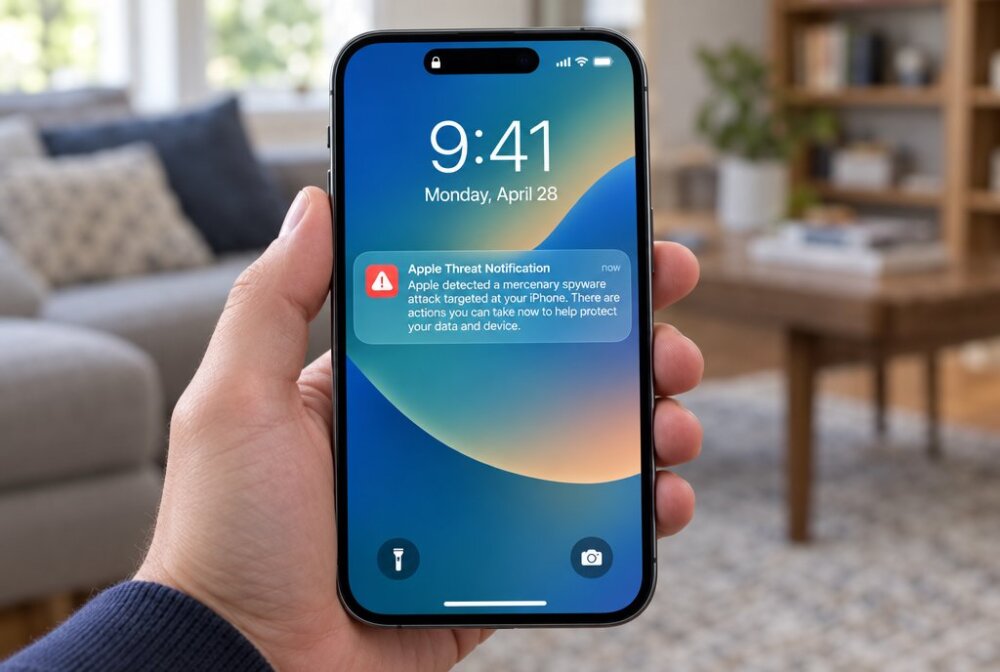
From experience: If you’re a regular person and your phone is just acting weird, Pegasus belongs near the bottom of your suspect list — update the phone, keep normal security habits, and don’t panic over every glitch. But if Apple actually sends you a genuine mercenary-spyware warning, or you’re in a genuinely high-risk job, take it seriously and turn on Lockdown Mode as fast as you can.
What is Pegasus spyware?
Pegasus is a surveillance tool developed by NSO Group, an Israeli cyber-intelligence firm that licenses it to government clients around the world. NSO markets it as a tool for fighting terrorism and serious crime, but investigations by Amnesty International’s Security Lab and the University of Toronto’s Citizen Lab have documented its use against journalists, human-rights activists, lawyers, and political opponents. In 2021 the U.S. Commerce Department added NSO Group to its Entity List, effectively barring American companies from selling technology to it.
What makes Pegasus different from ordinary stalkerware is its sophistication and its price. This isn’t an app someone downloads to spy on a partner. It’s a state-level weapon that exploits deep, previously unknown flaws in phone software, and access to it costs governments enormous sums.
How does Pegasus work?

Pegasus is best known for “zero-click” attacks. In a zero-click infection, there is no link to tap and no file to open. The spyware exploits a flaw in how an app handles incoming data — often a message, an image, or a call that your phone processes automatically in the background. Because the phone does the work of receiving that data on its own, the attack can succeed without the target doing anything at all.
Historically, Pegasus has abused vulnerabilities in common messaging apps such as iMessage and WhatsApp. A specially crafted message could compromise the device the moment it arrived, sometimes without ever showing up as a visible notification. Older versions also used “one-click” methods — a malicious link sent by text — but the zero-click capability is what alarms security researchers most, because there’s no user mistake to avoid.
Once installed, Pegasus operates silently and tries hard to hide, sometimes removing itself if it can’t communicate with its command servers, which makes it difficult to detect after the fact.

What can Pegasus access on your phone?
The reach is extensive. Once a device is infected, Pegasus has been documented harvesting:
- Text messages, emails, and chats — including from encrypted apps, because it reads them on the device after they’re decrypted
- Phone calls and ambient audio through the microphone
- The camera, allowing photos and video to be captured
- Real-time GPS location
- Photos, contacts, calendars, and stored files
- Passwords and browsing activity
In effect, a successful Pegasus infection gives the operator a live window into nearly everything the target does on their phone. That’s a far deeper level of access than the consumer spy apps we cover in how to detect and remove spy apps.
Who does Pegasus actually target?
This is the part that should reassure most readers. Pegasus is used for highly selective, targeted surveillance — not mass or random infection. Confirmed victims have overwhelmingly been journalists, activists, dissidents, lawyers, senior officials, and their close contacts. Deploying Pegasus is expensive and exposes a valuable, hard-to-develop exploit, so operators reserve it for people governments consider high value.
If you’re not a journalist covering sensitive stories, a political figure, an activist, or otherwise someone a government would spend serious resources to watch, your realistic chance of being a Pegasus target is very low. The everyday threats most people face — a partner’s monitoring app, a phishing scam, a tracking link — are far more likely, and our guide on whether your phone is hacked covers those.
Can you tell if your phone has Pegasus?
Detecting Pegasus is genuinely difficult because it’s designed to hide and can erase its own traces. There are no obvious pop-ups or icons. That said, a few points are worth knowing:
Amnesty International’s Security Lab publishes a free, open-source tool called MVT (Mobile Verification Toolkit) that technical users can run against a phone backup to look for known indicators of compromise. It’s not a simple tap-to-scan app — it requires some command-line comfort — but it’s the recognized standard for Pegasus forensics. Ordinary mobile antivirus apps generally cannot detect a live Pegasus infection.
Because reliable detection is so hard, security experts emphasize prevention and containment over trying to spot it after the fact.
How do you protect yourself from Pegasus?
You can’t buy a product that guarantees immunity, but you can make yourself a dramatically harder target:
- Update your phone the moment patches are released. Zero-click exploits rely on unpatched flaws. Apple and Google push emergency fixes when these are discovered, so installing updates fast is your single most important defense.
- Turn on Apple’s Lockdown Mode if you’re at elevated risk. Introduced for exactly this threat, it sharply limits the attack surface — restricting message attachment types, certain web technologies, and incoming connections. Android users can reduce risk by limiting installed apps and using a security-focused device.
- Restart your phone regularly. Some Pegasus variants don’t survive a reboot, so a daily restart can, in some cases, clear a non-persistent infection (though it may be reinfected).
- Reduce your attack surface. Disable message previews, be cautious with unknown senders, and remove apps you don’t need.
- Use strong account security. Turn on two-factor authentication everywhere so that even a compromised phone doesn’t hand over every account.
If you have specific reason to believe you’re a target — for instance, you’re a journalist or activist — contact a digital-security organization such as Access Now’s Digital Security Helpline or Citizen Lab, which handle these cases directly.
What should you do if you think you’re infected?
If you have real reason to suspect Pegasus, don’t rely on a factory reset alone and don’t restore from a possibly-compromised backup. Preserve the device if you can, seek help from a qualified digital-security responder, and use a separate, clean device for sensitive communication in the meantime. For lesser threats — ordinary spyware rather than state-grade tools — our walkthroughs on removing a hacker from your phone and factory resetting to remove spyware apply.
Traveling soon? Lock down every device before you go.
Your phone, laptop, and tablet all carry your accounts, photos, and passwords — and every one of them is more exposed on hotel Wi-Fi, in airports, and away from home. Our free Travel Security Kit Builder walks you through a personalized checklist to protect whatever you’re taking with you.
Related reading: how to spot a fake app.
Frequently asked questions
Can Pegasus infect any phone?
It has targeted both iPhones and Android devices by exploiting software vulnerabilities. No consumer phone is inherently immune, but keeping the operating system fully updated removes the specific flaws each Pegasus version depends on, which is why patch speed matters so much.
Does a factory reset remove Pegasus?
It may remove a current infection, but it’s not a guaranteed fix for a determined attacker who can reinfect the device, and restoring from an infected backup can bring it back. For a suspected Pegasus case, professional forensic help is more reliable than a reset alone.
Can antivirus apps detect Pegasus?
Generally no. Standard mobile antivirus apps aren’t built to catch a live, hidden Pegasus infection. The recognized detection method is Amnesty International’s Mobile Verification Toolkit run against a device backup, which requires technical skill.
Should the average person worry about Pegasus?
For most people the practical risk is very low, because Pegasus is reserved for selective, high-value targets. Your time is better spent guarding against common threats like phishing, tracking links, and consumer spy apps, while still keeping your phone updated as a baseline.
Is Pegasus illegal?
NSO Group licenses Pegasus to governments, and its legality depends on how and where it’s used. Many documented deployments against journalists and activists have been widely condemned as abuses, and the U.S. government has placed NSO on a trade blacklist. Using such spyware against someone without lawful authority is illegal in most places.
What is Lockdown Mode and should I use it?
Lockdown Mode is an optional Apple feature that hardens your iPhone against sophisticated targeted spyware by limiting risky features. It’s designed for people at high risk, like journalists and activists. Most users don’t need it day to day, but if you’re a potential target it’s one of the strongest built-in protections available.
Written by Samuel Smith, a consumer-technology writer and digital-privacy researcher who has researched how advanced spyware like Pegasus works before writing this guide.