

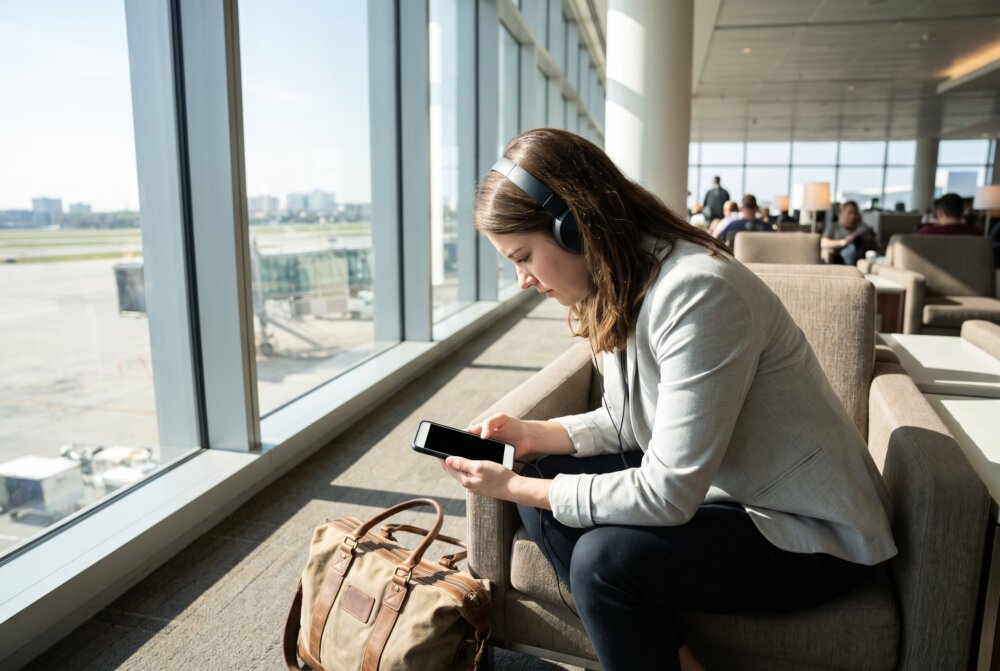
Quick Answer: Most people do not strictly need a VPN on their phone for everyday use, because modern apps and websites already encrypt your traffic. A phone VPN is genuinely worth it in specific situations: when you use untrusted public Wi-Fi, when you want to hide your browsing from your mobile carrier or network, when you travel and need to reach content or services from home, or when you handle sensitive work data on the move. A VPN does not stop malware, viruses, or apps from collecting your data.
“Do I need a VPN on my phone?” is one of the most common questions we get at InFurpose, usually right after someone sees a scary ad or a YouTube sponsorship claiming they are constantly being watched. The honest answer is more balanced than either the ads or the skeptics suggest. A VPN is a useful tool for specific jobs, not a magic shield. This guide explains exactly what a phone VPN does, what it does not do, and when it actually earns a spot on your device.
Written by Samuel Smith — consumer-technology writer and digital-privacy researcher at InFurpose.
What does a VPN actually do on your phone?
A VPN routes all of your phone’s internet traffic through an encrypted tunnel to a server run by the VPN provider. That does three concrete things: it hides your real IP address and replaces it with the server’s, it encrypts your traffic so the network you are on cannot read it, and it stops your internet provider or Wi-Fi network from seeing which sites and services you use.
In plain terms, a VPN changes who can see what you are doing online. Instead of your carrier or the coffee-shop network having visibility, that visibility moves to your VPN provider. This is why choosing a trustworthy, no-logs VPN matters so much: you are deciding who to trust with your traffic, not eliminating the question entirely.
What does a VPN NOT do?
A VPN does not make you anonymous, and it does not protect you from the threats most people actually face. It will not stop malware or viruses, it will not prevent the apps on your phone from collecting and selling your data, and it will not make you invisible to services that already know who you are because you are logged in.
This is the most important myth to clear up. If you install a malicious app or tap a phishing link, a VPN does nothing to save you. Protecting against those threats comes down to good habits, which we cover in how to secure your phone from hackers and how to spot a phishing text. Think of a VPN as privacy for your connection, not security for your whole phone.
When do you genuinely need a VPN on your phone?
From experience: I don’t run a VPN on my phone all the time — I turn it on when I’m on airport or hotel Wi-Fi. Most of the time I don’t notice any difference, which is really the point; it just works in the background. The only downside I’ve hit is that some hotel networks slow it down or make it harder to connect.

You genuinely benefit from a phone VPN in a handful of clear situations. The strongest case is untrusted public Wi-Fi, where a VPN encrypts your traffic against anyone else on the same network. Other solid reasons include hiding your browsing from your mobile carrier, keeping activity private on a network you do not control, reaching your home country’s banking or streaming services while traveling abroad, and handling sensitive work information away from the office.
Here are the scenarios where a VPN pulls its weight:
- Public Wi-Fi: Airports, hotels, and cafes where you cannot vouch for the network. See is public Wi-Fi safe on your phone?
- Carrier and network privacy: When you do not want your ISP or workplace network logging every site you visit.
- Travel: Accessing services from home that get blocked or behave differently abroad.
- Sensitive data on the move: Remote work involving client information or logins.
- Extra cover for financial activity on networks you are unsure about.
When do you NOT need a VPN?
You can usually skip the VPN on your own trusted home Wi-Fi and mobile data, where your traffic is already reasonably protected and the apps you use are encrypted. Running a VPN constantly also has small costs: it can nudge your battery down, add a little latency to gaming and streaming, and eat slightly into a limited data plan.
There are also times a VPN gets in your way. Many banking apps and streaming platforms actively block VPN connections, so you may have to toggle it off to use them. And on already-encrypted services like Signal, a VPN adds little extra privacy. For most people at home, strong device habits matter more than an always-on tunnel.
Are free VPNs safe to use?
Be very cautious with free VPNs, because running a VPN network costs money and many free providers make that money by logging and selling your data, which is the exact opposite of what you wanted. A free VPN that quietly records your browsing and sells it to advertisers has turned your privacy tool into a privacy leak.
If you decide a VPN fits your needs, a paid, reputable, independently audited provider with a clear no-logs policy is worth the modest cost. When you are ready to compare specific options, our best VPN for iPhone privacy guide and our head-to-head NordVPN vs ExpressVPN vs Surfshark comparison walk through the trustworthy choices.
Does a VPN replace other phone security?
No. A VPN is one layer, and it only covers your connection. It cannot replace keeping your operating system updated, using strong passwords and two-factor authentication, or installing apps only from the official store. Treat a VPN as a complement to those habits, not a substitute.
If you are building out your overall protection, start with the fundamentals in how to secure your phone accounts with 2FA and the complete Android privacy settings guide. A VPN slots in neatly on top of those, especially when you are out on networks you do not control.
If you decide a VPN is worth it, choose a paid, audited provider over a free one. Bitdefender Premium VPN is a reasonably priced, no-logs option that works across your phone and computer.
Frequently asked questions
Does a VPN drain my phone battery?
Yes, but usually only a little. A VPN keeps an encrypted connection running in the background, which uses some power, so heavy all-day use is noticeable over time while occasional use barely registers. If battery is a concern, turn the VPN on only when you are on public Wi-Fi or need it, rather than leaving it on around the clock.
Will a VPN make my phone completely anonymous?
No. A VPN hides your IP address and encrypts your traffic, but it does not stop the services you log into from knowing it is you, and it does not block the tracking and data collection built into apps. It improves your privacy on the network; it does not make you invisible.
Can a VPN protect me from viruses or hackers?
Not directly. A VPN secures your connection, but it does nothing against malware, malicious apps, or phishing links, which are the ways phones actually get compromised. For that protection you need good device habits, covered in how to secure your phone from hackers.
Why do some apps stop working when my VPN is on?
Some banking apps and streaming services deliberately block VPN traffic to fight fraud and enforce regional licensing. When an app refuses to load with your VPN active, turning the VPN off temporarily usually fixes it. This is normal behavior, not a sign your VPN is broken.
Should I use a VPN on mobile data or only Wi-Fi?
Your mobile carrier’s data connection is encrypted and generally safer than open Wi-Fi, so the strongest case for a VPN is on untrusted Wi-Fi. On mobile data, a VPN mainly helps if you want to hide your activity from your carrier. Many people leave it off on cellular and switch it on for public networks.
Is it legal to use a VPN?
In the United States and most countries, using a VPN is completely legal for privacy and security. A few countries restrict or ban VPNs, so if you travel internationally it is worth checking local rules. Using a VPN does not make otherwise-illegal activity legal.
The bottom line
You do not need a VPN running every minute on your phone, but you probably want one available for the moments that call for it: public Wi-Fi, travel, carrier privacy, and sensitive work. Pick a paid, audited, no-logs provider, use it where it helps, and pair it with the core security habits that actually stop hackers. For deeper comparisons and step-by-step setup, explore the VPN and privacy guides at InFurpose.
Samuel Smith is a consumer-technology writer and digital-privacy researcher at InFurpose who has spent years testing phone-security tools, including hands-on use of mobile VPNs on public Wi-Fi and while traveling.